Retrieval-Augmented Generation (RAG) is a powerful pattern that links large language models to custom file directories. This allows you to chat with your private PDFs, codebase, or workspace notes offline, without uploading data to external cloud servers.
In this guide, we will write a complete Python script to load documents, split text into chunks, create vector embeddings, and query them using local Ollama models.
How Local RAG Works
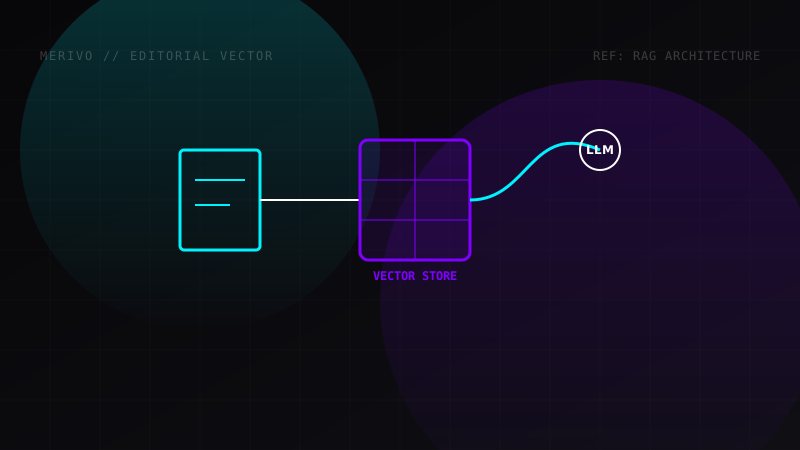
The RAG pipeline operates in five distinct phases:
[PDF Document] -> [Recursive Splitter] -> [Chroma Vector DB] -> [Similarity Retrieval] -> [Local LLM Output]
- Ingestion: Text is loaded from a local file.
- Chunking: The text is split into small segments.
- Embedding: An embedding model converts the segments into numerical vectors.
- Storage: The vectors are stored in a database (Chroma DB).
- Retrieval: The database retrieves the most relevant segments matching a user's query and passes them as context to the LLM.
Python RAG Pipeline Implementation
First, install the required dependencies:
pip install langchain langchain-community chromadb pypdf
Here is the complete RAG script:
from langchain_community.document_loaders import PyPDFLoader
from langchain_text_splitters import RecursiveCharacterTextSplitter
from langchain_community.vectorstores import Chroma
from langchain_community.embeddings import OllamaEmbeddings
from langchain_community.llms import Ollama
from langchain.chains import RetrievalQA

def run_local_rag():
    # 1. Load document
    loader = PyPDFLoader("data/sample_policy.pdf")
    raw_documents = loader.load()

    # 2. Split text into chunks
    text_splitter = RecursiveCharacterTextSplitter(
        chunk_size=600,
        chunk_overlap=100
    )
    docs = text_splitter.split_documents(raw_documents)

    # 3. Create embeddings using local nomic model
    print("Generating vector embeddings...")
    embeddings = OllamaEmbeddings(model="nomic-embed-text")

    # 4. Save chunks in Chroma Vector DB
    vector_store = Chroma.from_documents(
        docs,
        embeddings,
        persist_directory="./chroma_db"
    )

    # 5. Connect local model
    llm = Ollama(model="deepseek-r1:8b")

    # 6. Configure QA chain
    qa_chain = RetrievalQA.from_chain_type(
        llm=llm,
        chain_type="stuff",
        retriever=vector_store.as_retriever(search_kwargs={"k": 3})
    )

    # 7. Execute Query
    query = "What is the policy for hardware upgrades?"
    print(f"Querying DB: {query}")
    answer = qa_chain.invoke(query)

    print("
Model Answer:")
    print(answer['result'])

if __name__ == "__main__":
    run_local_rag()
Semantic Chunking Parameters
The performance of a RAG pipeline depends on the chunking strategy:
- Chunk Size (600): Defines the character length of each chunk. Small chunks capture precise details, while large chunks capture broader context.
- Chunk Overlap (100): Ensures semantic continuity between consecutive chunks, preventing text from being split in a way that loses meaning.
Troubleshooting Common Setup Errors
- Timeout Errors: If vector generation times out, make sure Ollama is active on your host machine.
- Model Missing: Run
ollama pull nomic-embed-textandollama pull deepseek-r1:8bin your terminal before running the script.