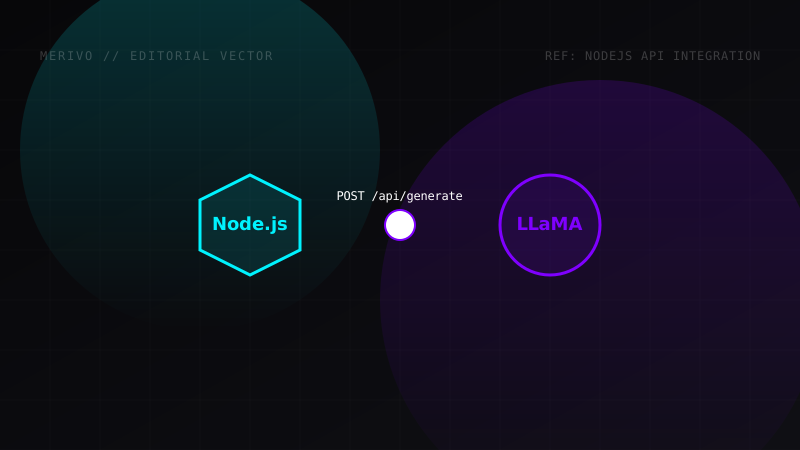
Running large language models locally on your system guarantees data privacy, runs completely offline, and eliminates API subscription costs. Ollama runs a local background service that exposes endpoints to interface with models.
This enables you to build custom Node.js scripts or local web tools that call local AI offline.
In this guide, we will write a complete TypeScript integration to connect a Node.js app to local Ollama endpoints.
Prerequisites and Setup
- Download and install Ollama from the official website.
- Download the Llama 3.1 model using your terminal:
ollama pull llama3.1:8b - Initialize a TypeScript Node.js project and install the SDK:
npm install ollama
TypeScript SDK Integration Code
Below is a complete script demonstrating how to connect to the local Ollama API, stream responses, and handle errors:
import ollama from 'ollama';

async function generateAIResponse() {
  const prompt = "Compare TypeScript with vanilla JavaScript in two paragraphs.";

  try {
    // Invoke chat generation with streaming enabled
    const response = await ollama.chat({
      model: 'llama3.1:8b',
      messages: [{ role: 'user', content: prompt }],
      options: {
        temperature: 0.7,      // Controls output creativity
        num_predict: 250,      // Maximum token response length
        stop: ["\n\n"]        // Custom stop tokens
      },
      stream: true,
    });

    console.log("Response Stream Started:\n");

    // Loop through response chunks as they arrive
    for await (const chunk of response) {
      process.stdout.write(chunk.message.content);
    }

    console.log("\n\nStream Completed successfully.");
  } catch (error) {
    console.error("Failed to connect to local Ollama service:", error);
  }
}

generateAIResponse();
Forcing Structured JSON Outputs
For many automation tasks, you need structured data (like JSON) rather than plain text. Ollama allows you to enforce JSON format output natively.
Here is how to configure a structured request:
import ollama from 'ollama';

async function fetchStructuredData() {
  const schemaPrompt = "Generate a user profile. Output name, age, and 3 skills.";

  try {
    const response = await ollama.generate({
      model: 'llama3.1:8b',
      prompt: schemaPrompt,
      format: 'json', // Forces output to be a valid JSON object
    });

    const dataObj = JSON.parse(response.response);
    console.log("Parsed JSON object:", dataObj);
  } catch (e) {
    console.error("JSON formatting error:", e);
  }
}

fetchStructuredData();
Port Configuration and Environment Variables
By default, Ollama serves its API on port 11434 on localhost (http://127.0.0.1:11434).
If you are running your Node.js application inside a Docker container, the container won't be able to hit the localhost interface of the host machine directly. You must configure the Ollama background daemon on your host system to bind to all network interfaces.
- macOS Command:
launchctl setenv OLLAMA_HOST "0.0.0.0" - Windows/Linux Environment Variable:
Set
OLLAMA_HOSTto0.0.0.0in system environment settings, then restart the Ollama application.