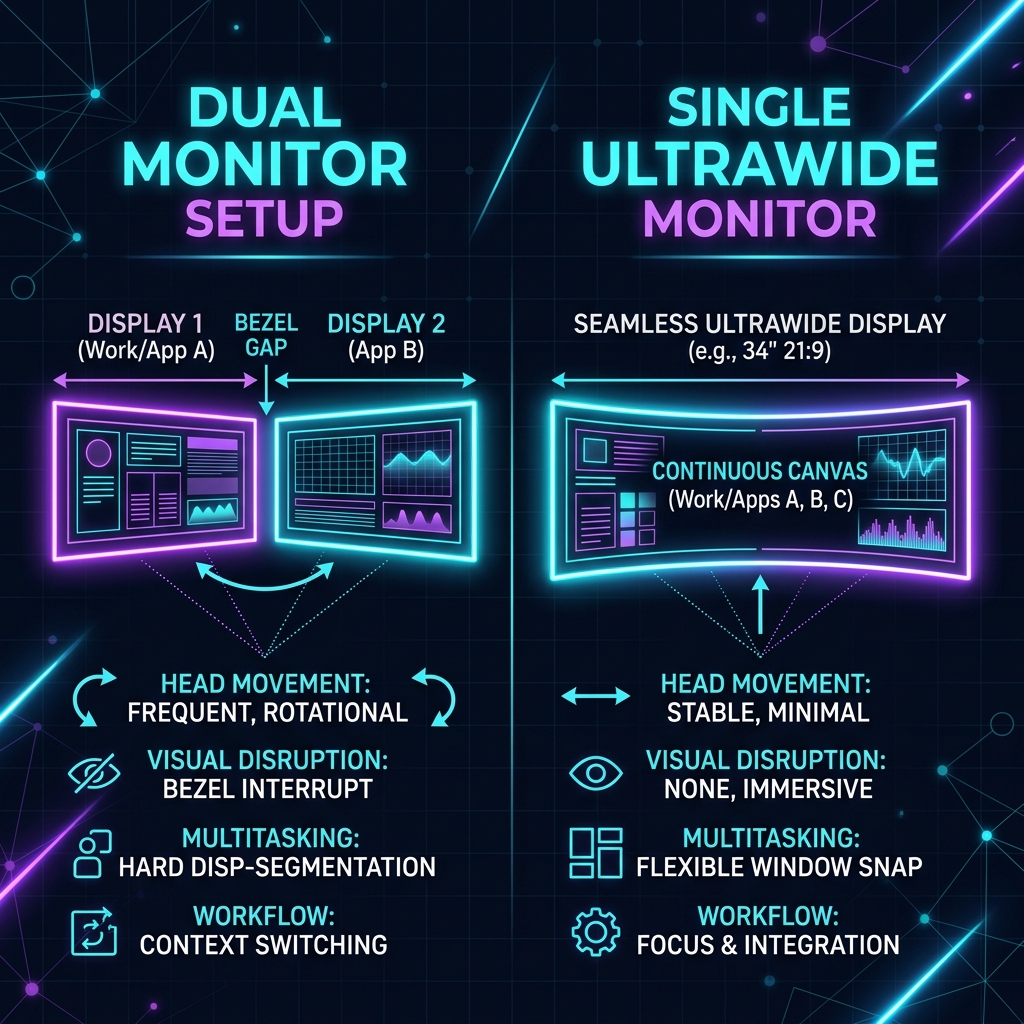
When configuring an ergonomic desk setup, your screen layout is the most important decision. It dictates your neck posture, your window management workflow, and your visual focus. While developers historically defaulted to dual monitor configurations, the rise of high-resolution ultrawide (21:9 or 32:9) screens has challenged that setup.
In this guide, we'll weigh the pros and cons of dual monitors versus a single ultrawide display to help you optimize your digital workspace.
The Dual Monitor Setup: Maximum Screen Space
A dual monitor setup typically involves pairing two identical 24" or 27" screens side-by-side.
Pros:
- Hard Boundaries: Having two physical panels makes it easy to split tasks. You can run your IDE full-screen on your primary monitor while keeping documentation, Slack, or logs open on the secondary screen.
- Affordability: Buying two budget-friendly 4K monitors is often cheaper than purchasing a single premium ultrawide panel.
- Flexibility: You can rotate one monitor vertically (90 degrees), which is highly beneficial for reading long files, logs, or documentation.
Cons:
- The Center Bezel: Unless you off-center your primary screen, the plastic bezels of the two monitors sit directly in your central line of sight. This forces you to keep your neck turned slightly to one side, leading to strain.
- Cable Clutter: Managing power cables and display inputs for multiple displays is more complex.
The Single Ultrawide Setup: Seamless Focus
An ultrawide screen replaces multiple displays with a single continuous panel, usually at a 21:9 aspect ratio or a super-ultrawide 32:9 ratio.
[         Seamless Curved Ultrawide Display         ]
  ├── Left: IDE        ├── Center: Browser     ├── Right: Docs
Pros:
- Zero Bezels: Without a central border, you can center your primary window directly in front of you. This promotes a neutral neck posture and reduces eye strain.
- Fluid Layouts: Using window tiling managers (like Rectangle on macOS or PowerToys FancyZones on Windows), you can snap windows into flexible three-column layouts instead of being locked into a half-and-half split.
- Aesthetic Simplicity: A single monitor arm and one set of cables results in a much cleaner, minimalist desk setup.
Cons:
- Screen Sharing Issues: Sharing a 21:9 or 32:9 screen on Zoom or Teams results in tiny, unreadable feeds for participants on standard 16:9 displays. You must share specific application windows rather than the full screen.
- Price: Quality curved panels with high refresh rates and USB-C power delivery are expensive.
Ergonomic Comparison Matrix
Below is a breakdown of key ergonomics and productivity metrics for both layouts:
| Criterion | Dual Monitor Setup | Single Curved Ultrawide |
|---|---|---|
| Neck Ergonomics | Moderate (Constant turning) | Excellent (Curvature reduces eye-travel) |
| Window Management | Easy (Native fullscreen snapping) | Requires tiling software (FancyZones / Rectangle) |
| Desk Cleanliness | Complex cable routing | Minimalist (Single connection hub) |
| Screen Sharing | Good (Share secondary screen) | Difficult (Requires window-only sharing) |
| Immersive Code Editing | Disjointed (Bezel separation) | Seamless (Great for wide viewports) |